
Google Timeline
Sometimes when you are searching for an ancestor you have only a vague idea of the time period that you would like to search. This is where the Timeline option can be extremely useful. Simply enter the name of the ancestor that you are looking for but do not specify a time range. Instead, click on the Timeline option and Google will present the search results by decade as shown in the illustration below.
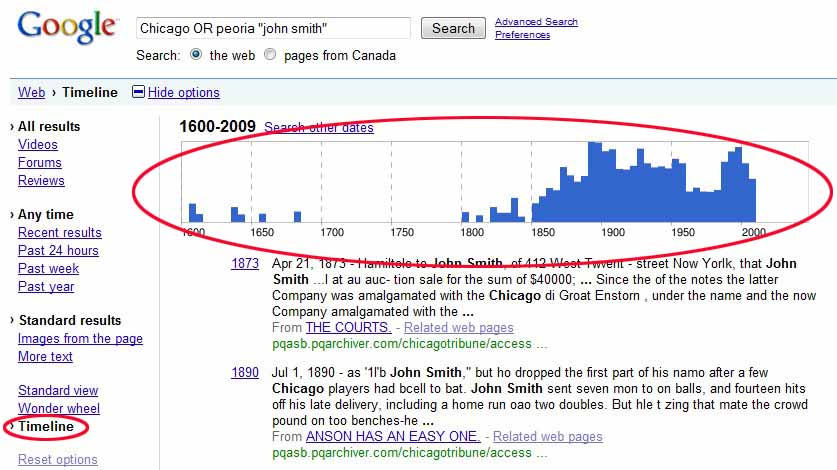
The wonderful thing about this feature for a genealogist is that it graphs all the records by time so that you can see if there are any records available for the time period that interests you.
You can further refine the time search by running your mouse over the time zone in the graph and clicking on the decade that interests you. This will bring up a second graph that lists just the specified decade. Clicking on the exact year will allow you to bore down into the search results in even further detail. This can be an amazingly useful feature for any genealogist looking for a specific record that occurred at a specific point in time, such as a census record or birth record.


