

Expanding the Google Advanced Search Page
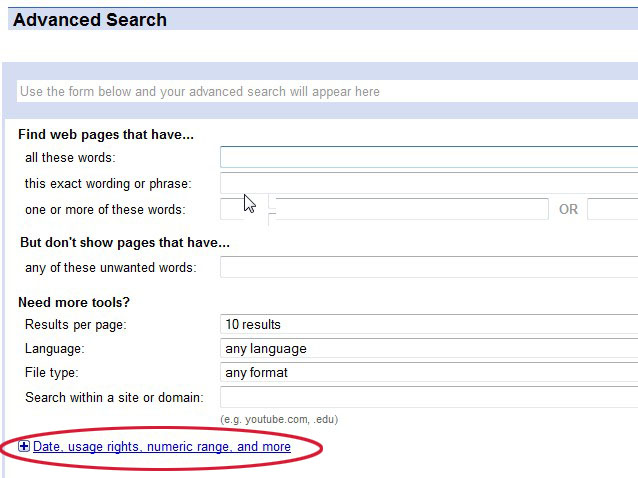
The first thing you want to do is expand the Google Advance Search page so that you have access to all the search fields. You can expand the page by clicking on the highlighted text as follows.
The full expanded Google Advanced Search page looks as shown below. We will be using this expanded version of the Advanced Search page for all our examples.
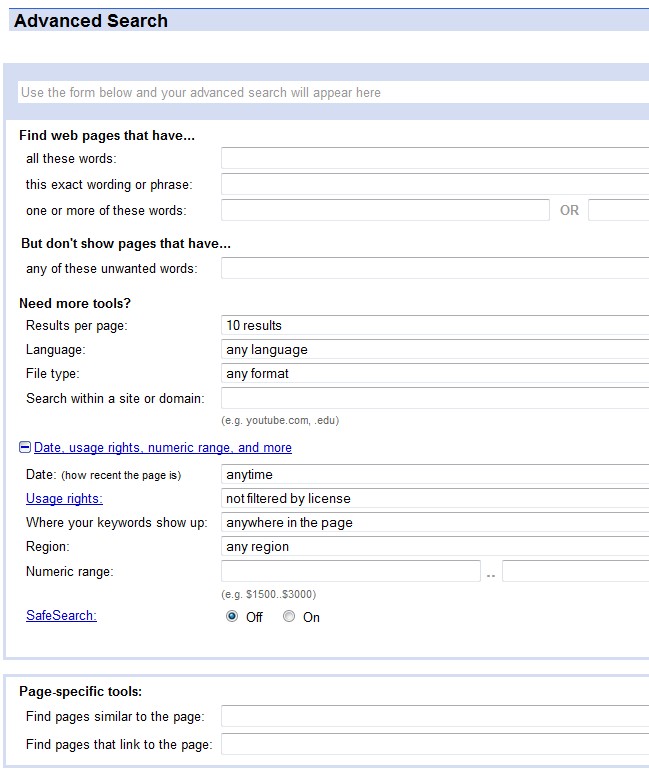
At the moment, things may look a little daunting. But don’t worry, it's actually fairly easy to use. It is simply a matter of knowing which input field to use for the type of genealogy information that you would like to enter. In that sense, the Google Advanced Search page does not look much different than most genealogy software programs that are used for entering data on your ancestors. So, let’s begin looking at the details of genealogy searches.


